Claude is the assistant. The app is the record.
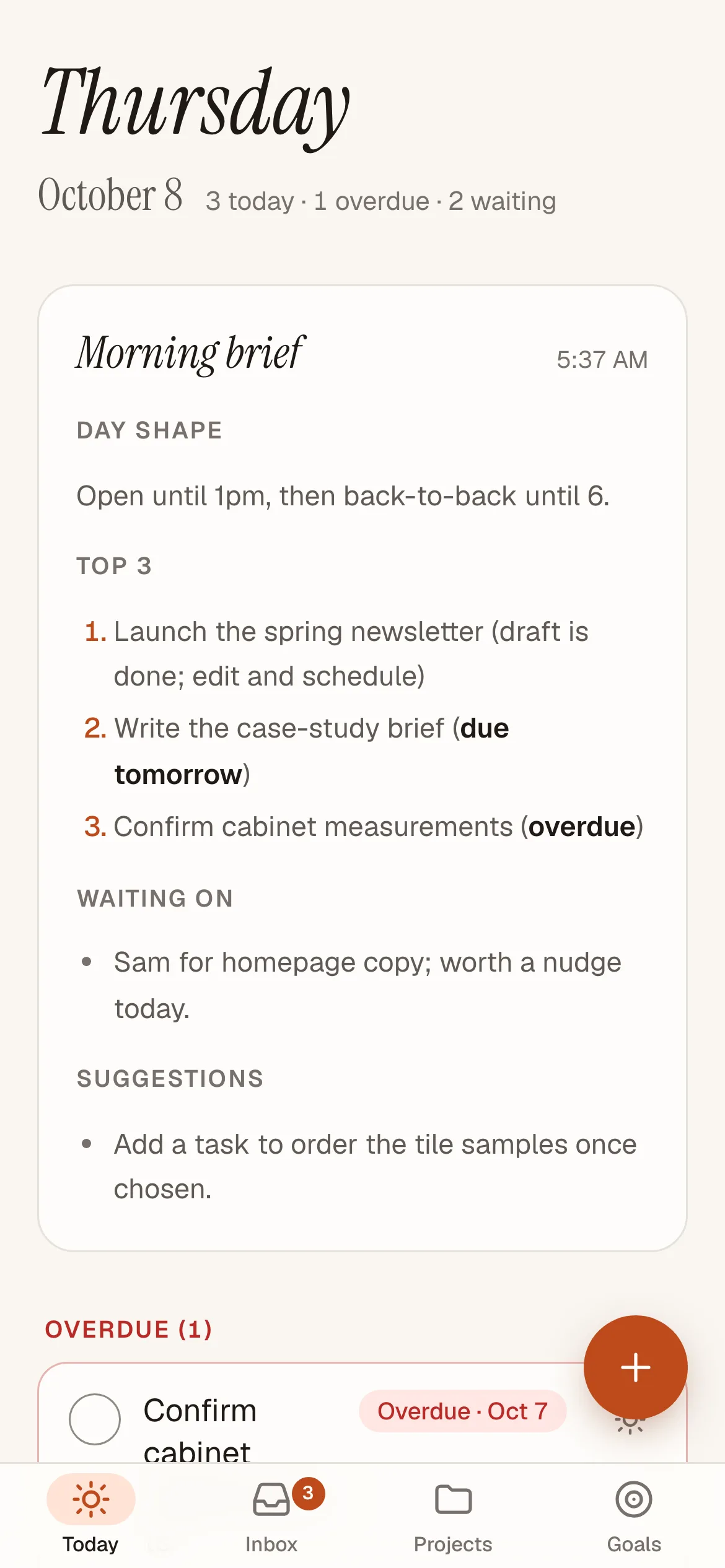
Project Tasks is our own task manager, built for one person who runs a software studio. Claude captures notes and writes the morning brief, and the app shows what matters today on a phone.
- Role
- Product, design and engineering
- Platform
- Responsive web, installable to a phone, plus Claude on phone, web and desktop
- Stack
- Next.js, React, Tailwind CSS, Supabase, an MCP server, Vercel
- Timeline
- Started 24 September 2026, assistant release 6 October 2026
- Claude connector
- 15 tools and 4 prompts
- Status
- Live in private daily use, single user
The thought gets caught once, then filed where it belongs.
Inside the head: the connector's 15 tools and 4 prompts, as Claude sees them. Drag to turn, pick one to read it. The prompts are red.
The assistantClaude, through a custom connector
The recordThe app, the part you glance at
Each card in the head is one thing Claude can do with the record.
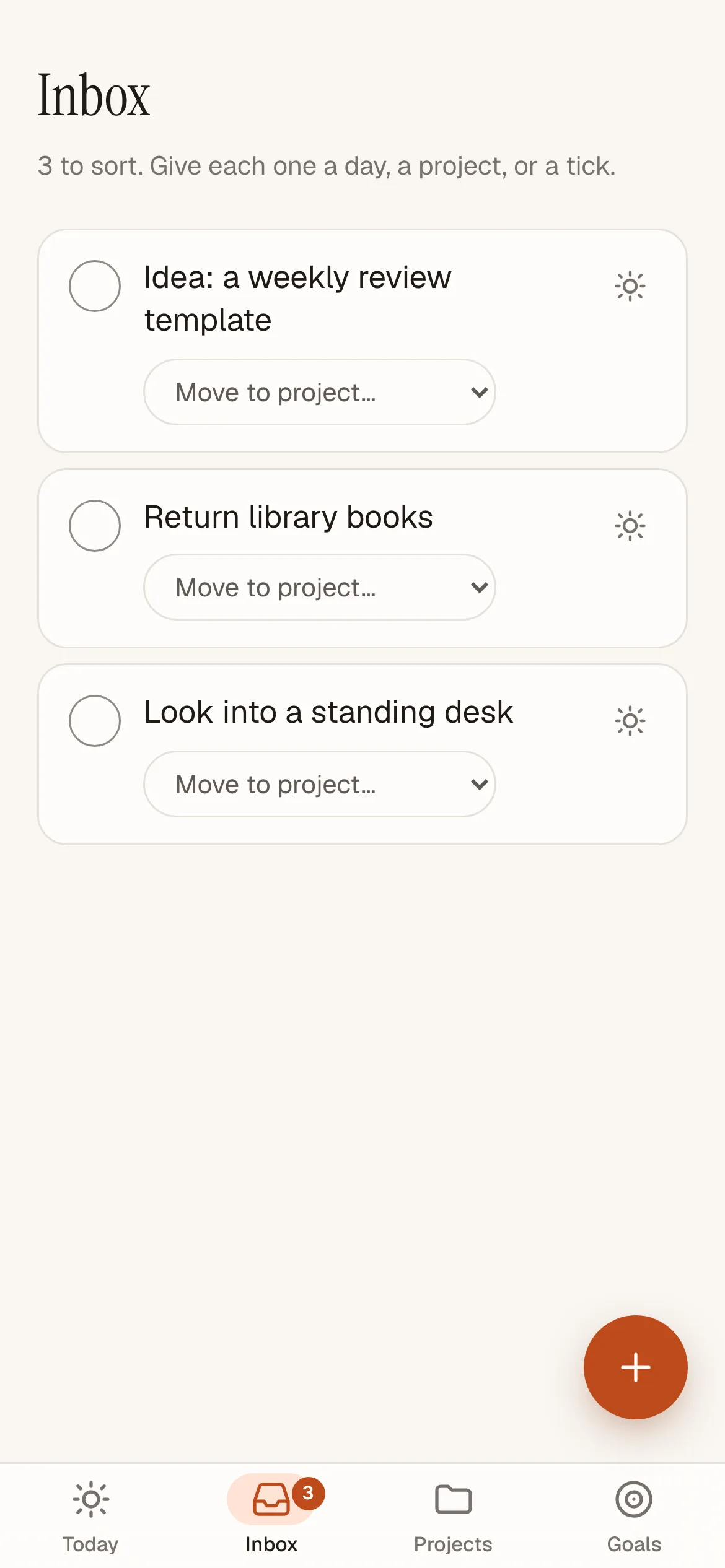
The Inbox on a phone: three to sort, each one step from a project. No media shows the Claude side.
The problem
The earlier system, CognitiveOS, was good at capturing work and poor at living with it. Its task schema, mobile editing and layout could not support daily management of several active projects, and its schema reflected an overbuilt product direction. Briefs were scattered across email, Notion and Telegram.
When the new app's first interface was audited, it read as the generic AI template: 20px checkboxes, no undo, silent saves and raw markdown in the brief. The goal was plain. Make project work easy to see and edit on a phone, and keep low-friction voice capture and a morning brief worth reading.
Two flows in the app
The solution
Project Tasks splits the job in two. Claude does the assistant's work through a custom connector: a remote MCP server with 15 tools that create, file, search and update tasks, plus four prompts for the morning brief, planning the day, the weekly review and the shutdown. The assistant's playbook ships inside the connector, so the same behaviour follows across Claude on phone, web and desktop.
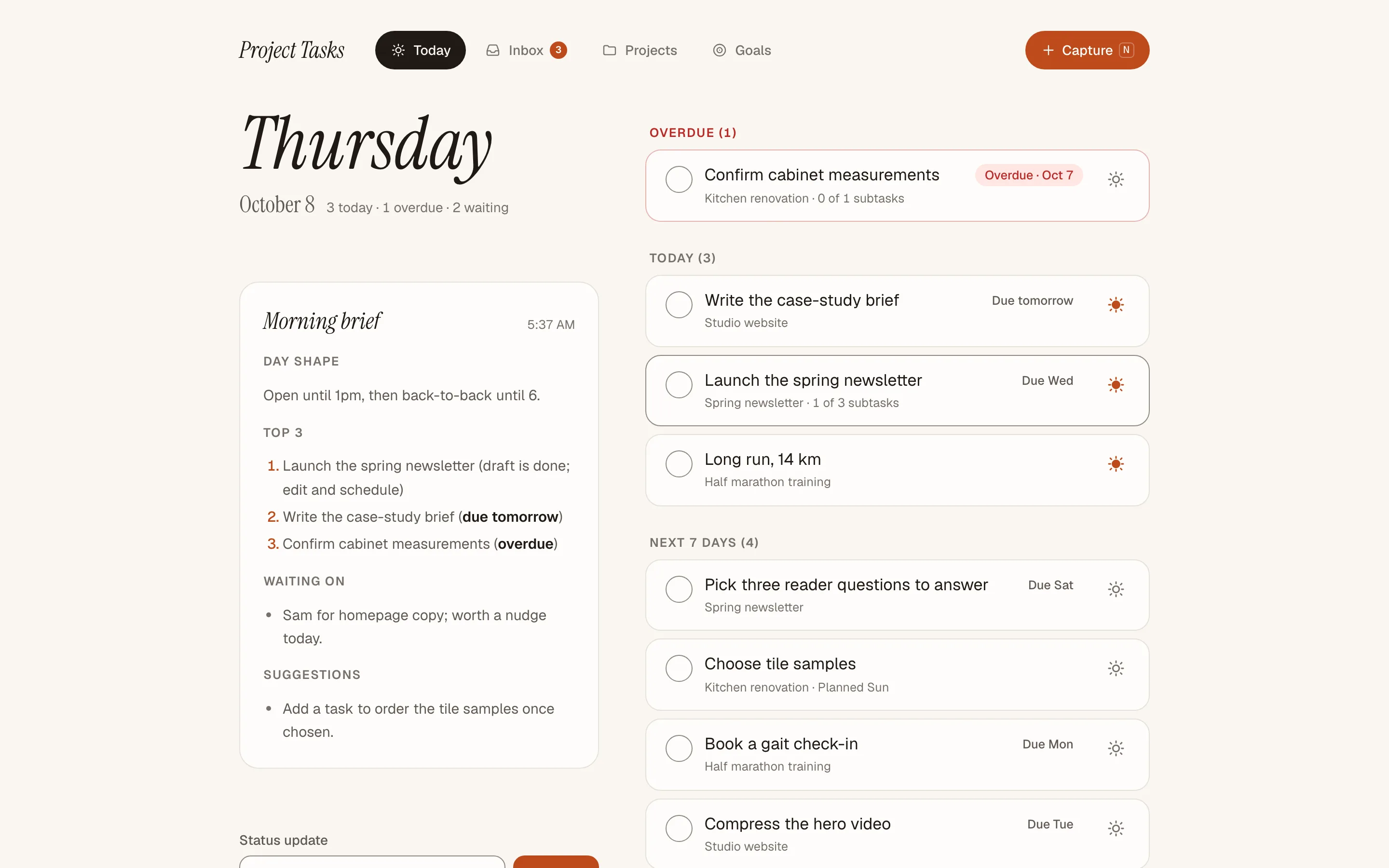
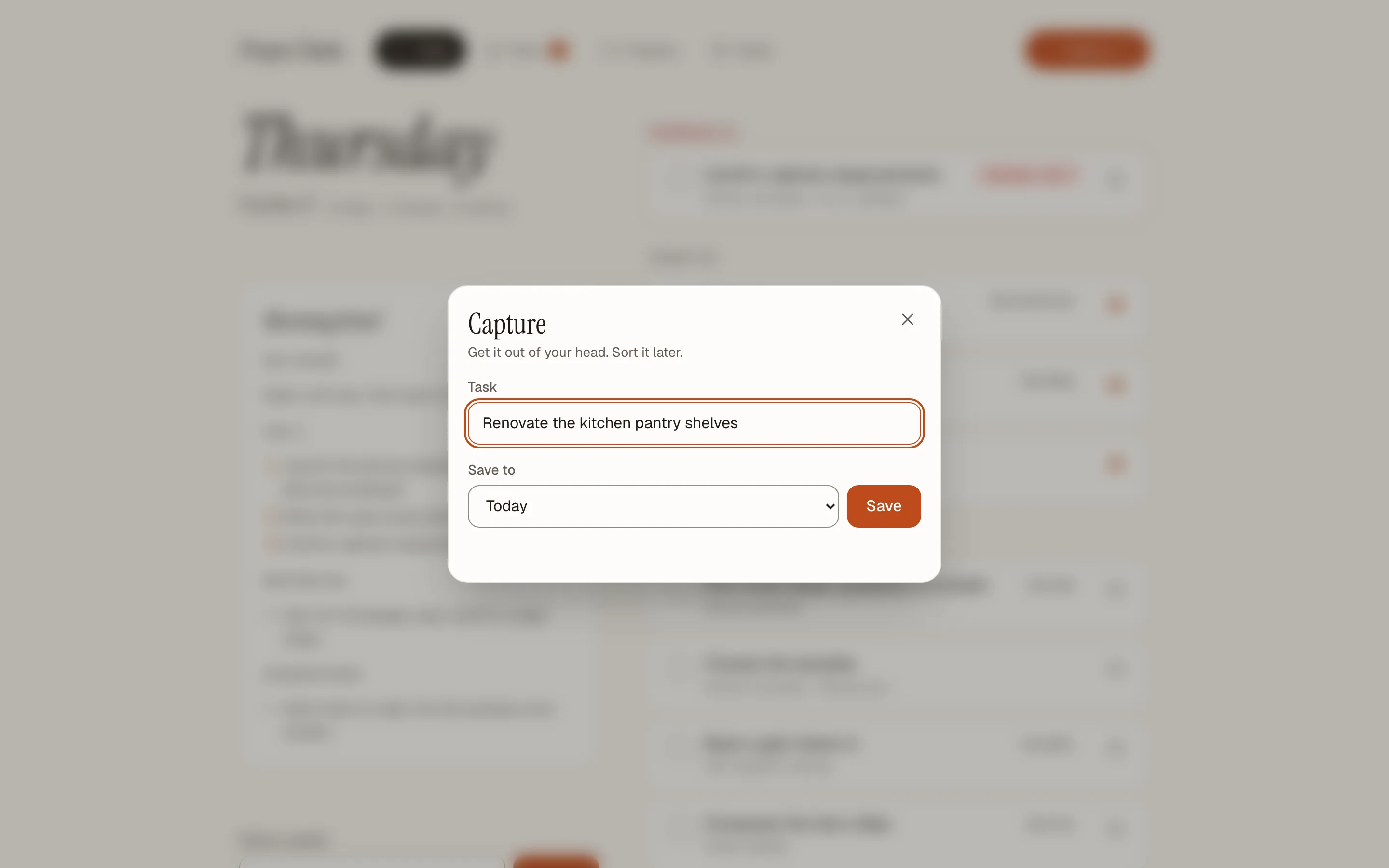
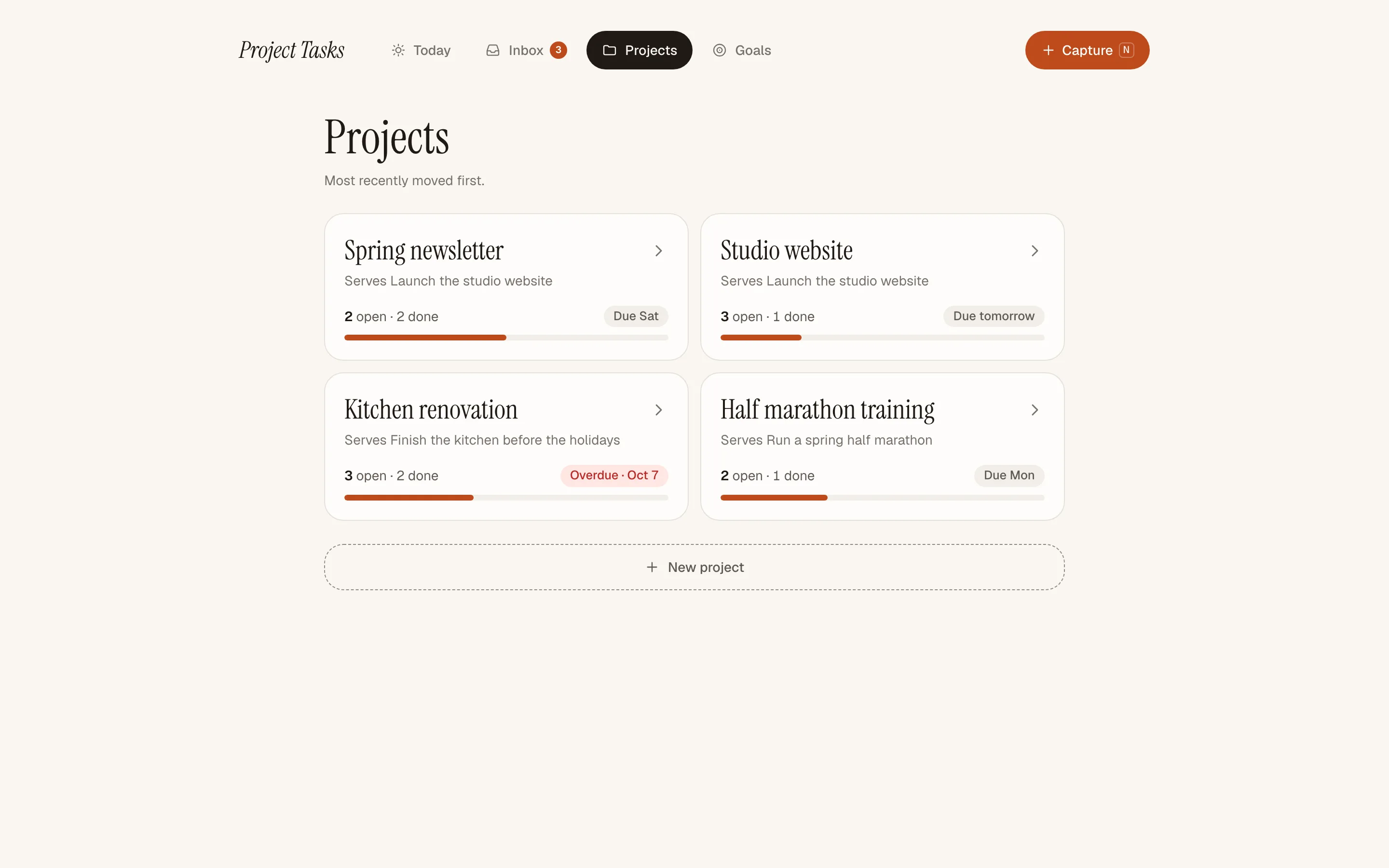
The app is the part you glance at. Today opens on the date, the saved brief, and what is overdue, due today, due this week or waiting on someone. Capture is the only way to add a task, and it is reachable from every screen. Anything Claude cannot route with confidence lands in the Inbox.
Feature highlights
- One capture point.
A button on phones or the n key on desktop opens it, and it stays open for several thoughts in a row.
- A brief at 6:30 every morning.
A Claude scheduled task writes it, and suggested tasks are never saved without a yes.
- An Inbox that empties itself.
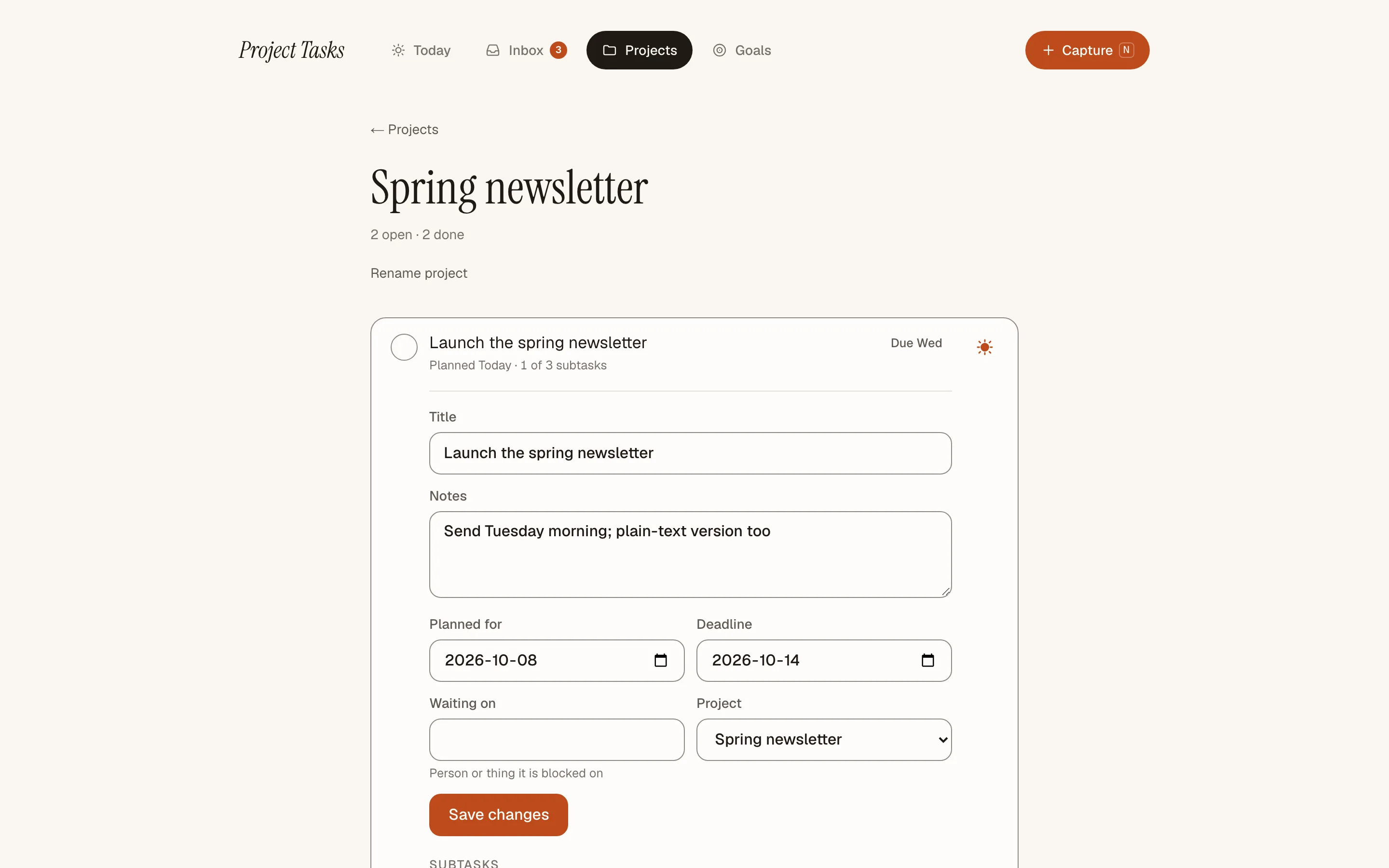
Give an item a project, a day, a deadline or a follow-up and it leaves the Inbox.
- Goals and ranked values.
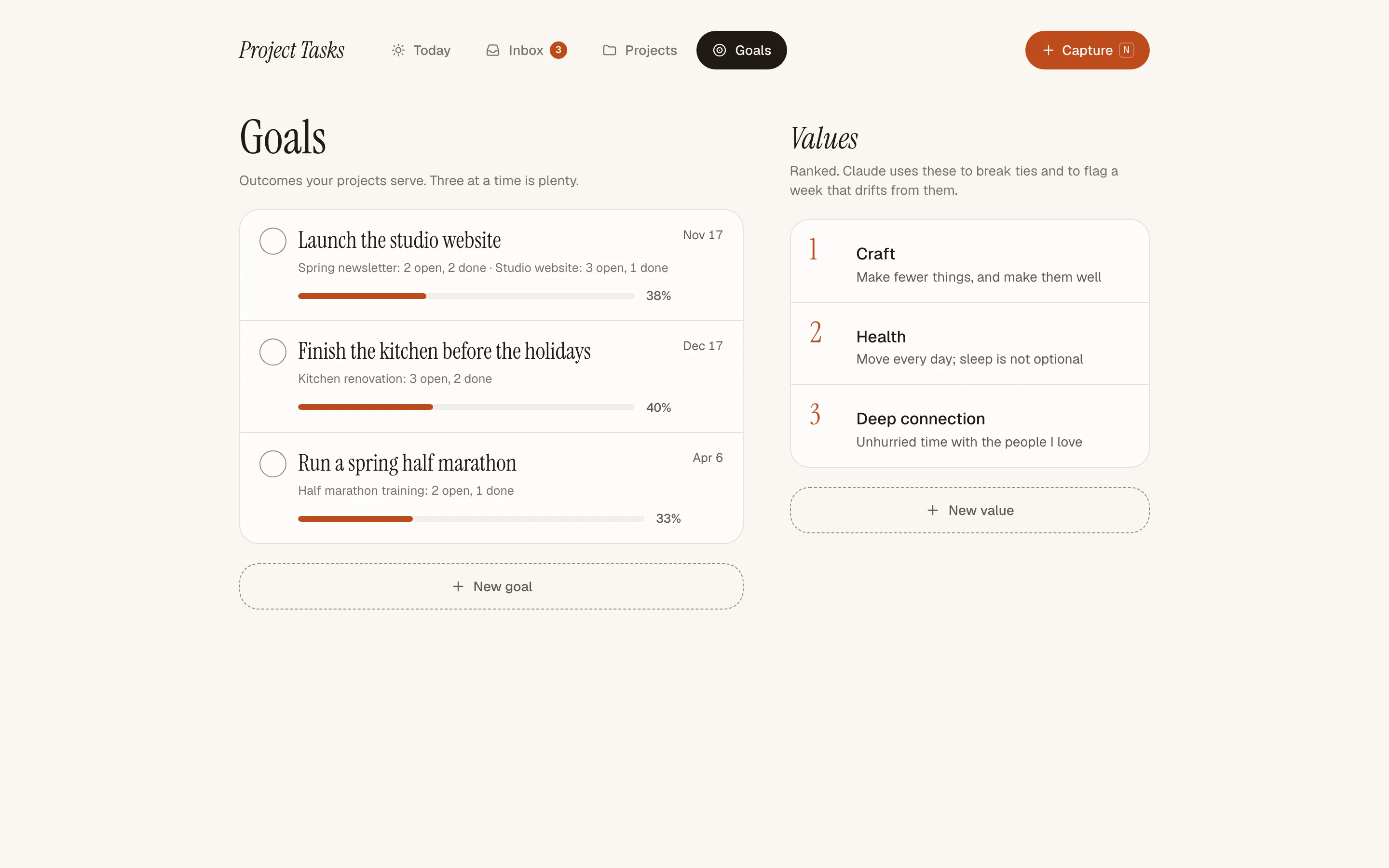
Each project names the goal it serves, and Claude uses the ranked values to break ties and flag drift.
- Undo after every completion.
Finishing a task opens a five-second undo, and every save is confirmed.
The app on desktop
The thinking
- Claude judges duplicates, not an embedding score.
An earlier plan used embeddings to spot repeat tasks. Claude reads a project's open tasks and judges meaning better than a wording score, and the change removed an extra API key, a spend cap and a per-capture cost.
- Planned day and deadline are separate.
Planning a day needs a work date. So "Thursday" sets a planned day and "by Thursday" sets a deadline.
- When unsure, the Inbox.
Misfiled or invented projects create cleanup work. Uncertain notes wait in the Inbox for a person to sort.
- The assistant's rules live in the connector.
One definition follows its user across every Claude surface and scheduled task. It runs on an existing Claude subscription, with no separate API key and no calendar or mail sync.
- One task type, flat projects.
Extra classes would complicate capture and editing before a real need appeared. Follow-ups are a single text field, with no people model.
What's next
Live in private daily use since the 6 October 2026 release, with no results yet.
The test is whether it stays the only task list for 14 consecutive days, and the next check is the morning brief, judged against 10 of 14 workdays.
Want an assistant that keeps a real record? Let's talk.
kyle@sindstudios.com
The app itself is private. It holds real tasks, so there is no public demo.
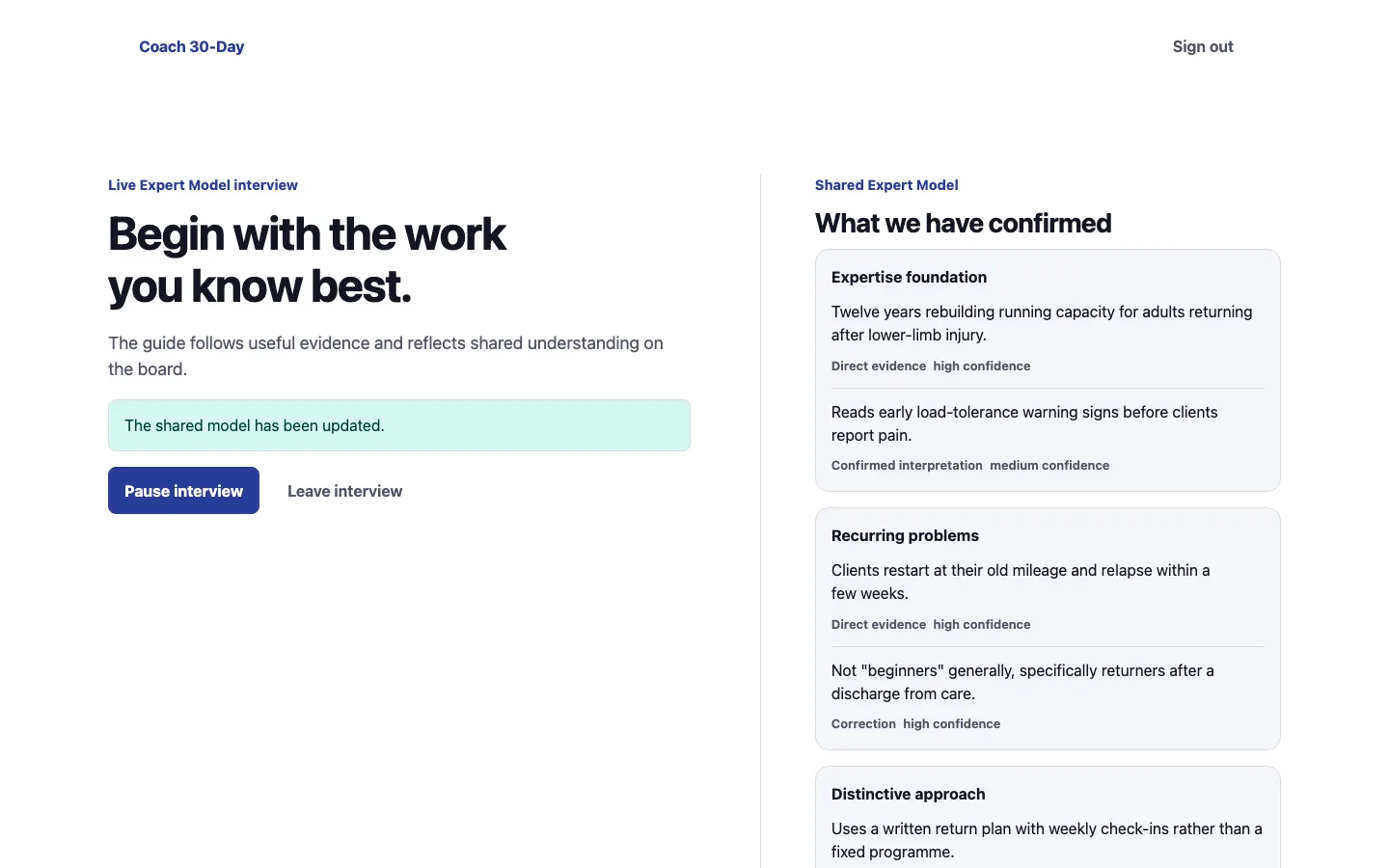 Next thought · Coach 30-DayFrom a 30-day launch plan to one conversationRead it